Mentor Invitational · Science Olympiad
The ceremony engine for Science Olympiad.
From score entry on tournament day to the final placement reveal on stage — Nebulyx coordinates scoring, status tracking, and live presenter sync across every screen in the venue.
Division B + C
.xlsx ingestion
8→1 reveal
Cloudflare-backed
Online control panel
Features
Everything in the current system.
This reflects the actual desktop, web, and API capabilities — not a roadmap.
Data Loading
Spreadsheet ingestion
- Loads .xlsx files with configurable Division B/C filename patterns.
- Falls back to worksheet content when filenames are ambiguous.
- Normalizes event and team names with correction maps.
- Extracts placements and overall standings when present.
Ceremony Control
Operator-safe reveal flow
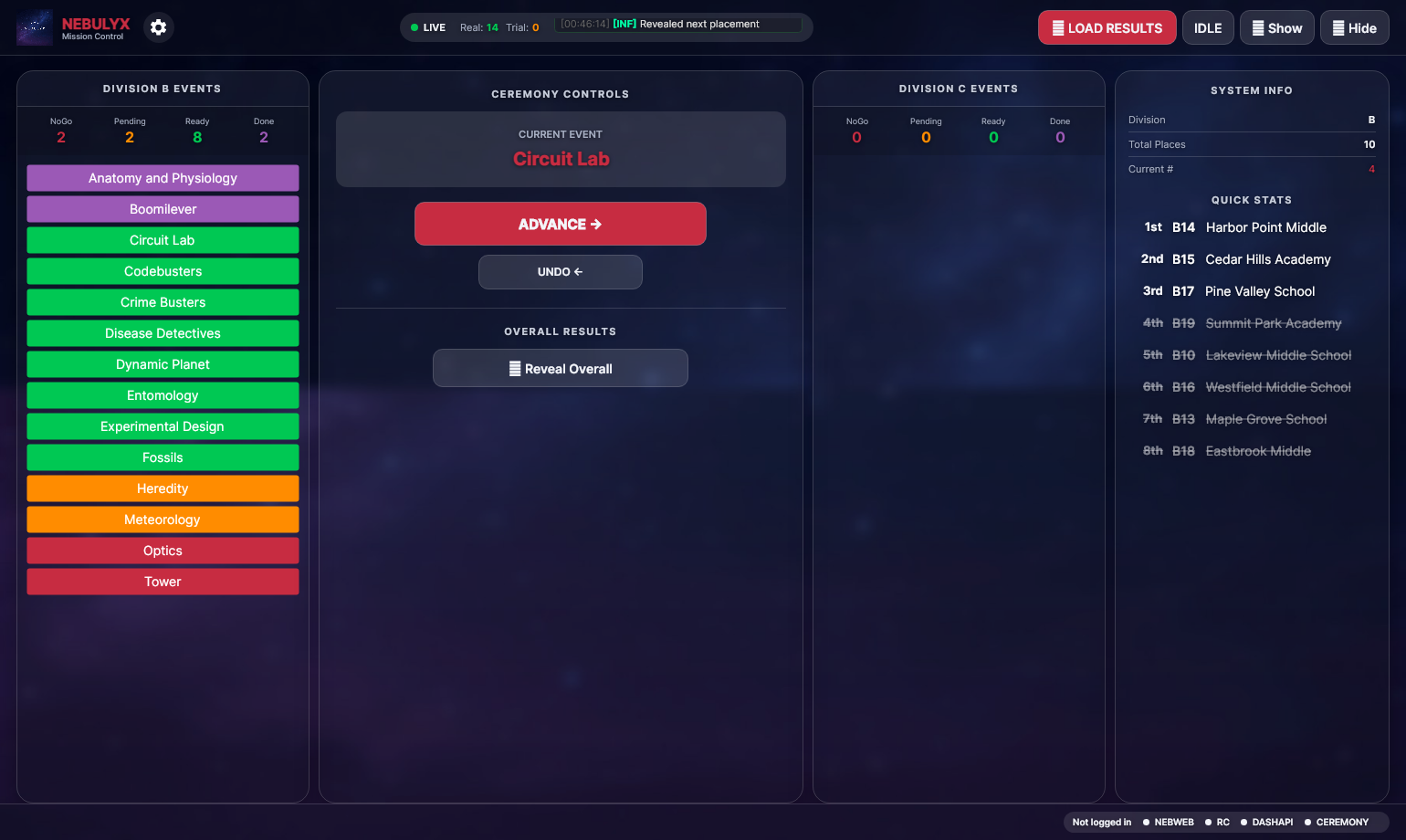
- Event results reveal from 8th to 1st place with undo support.
- Overall results interleave Division B/C and can hide duplicate schools.
- Confirmation prompts prevent accidental reveals or hides.
- Division counters track all four event statuses in real time.
Dashboard
Tournament overview
- Live event readiness across both divisions.
- Team standings with overall placement and total points.
- Per-event placement drawer from the dashboard view.
- Updates in real time throughout the tournament.
NebWeb
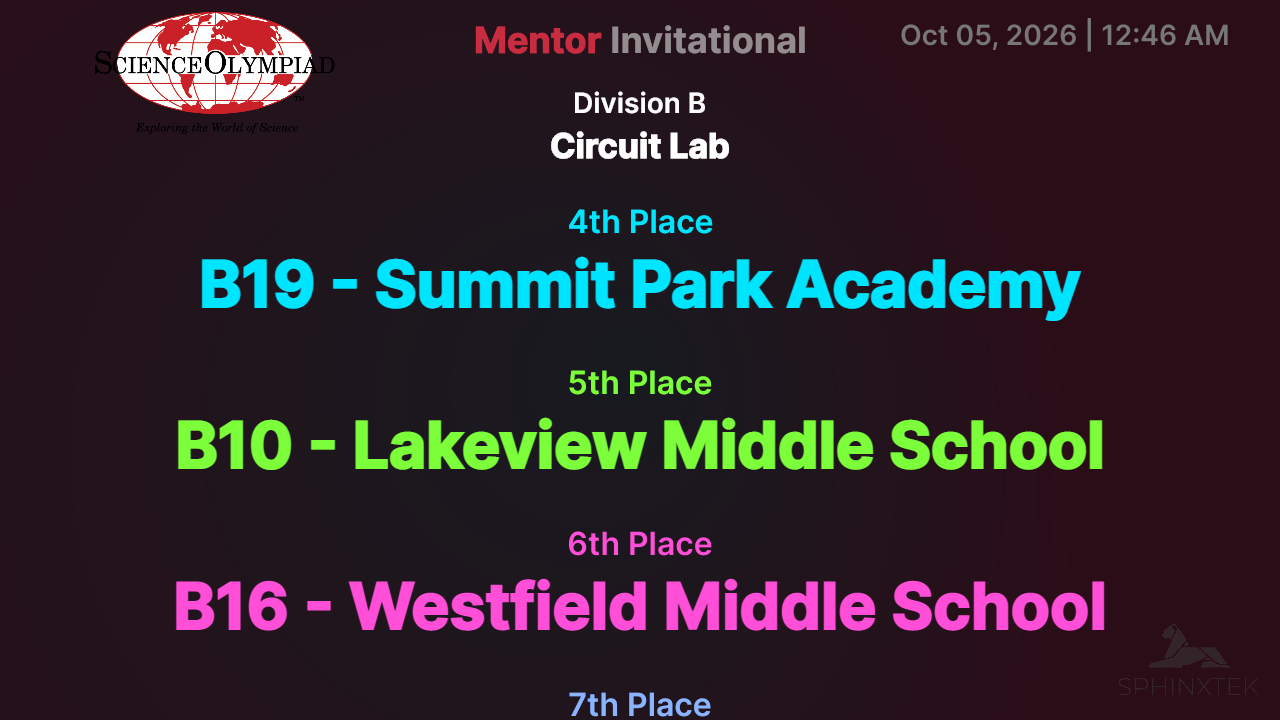
Remote presenter view
- Browser-based view for the presenter running the ceremony.
- Mirrors ceremony state in real time from the control app.
- Forward and reverse reveal exposed through API endpoints.
- Periodic heartbeat keeps the presenter view aligned.
Web Control
Browser-based operator panel
- Full ceremony control from any browser on the tournament network.
- Event status board mirroring the desktop operator view.
- Load placements and advance ceremony state without the desktop app.
- Protected by tournament authentication — no public access.
Output & Sync
Cloudflare-backed state
- Ceremony state persisted and served from Cloudflare Workers.
- Configurable access headers support protected deployments.
- Single API coordinates desktop, web control, and NebWeb.
- State survives page refreshes and network interruptions.
Platform
Four coordinated products.
Every component connects to the same ceremony state. One operator action propagates everywhere.
Desktop
NebulyxWin
Windows operator app for loading results, managing event status, and controlling the reveal sequence.
Remote Presenter
NebWeb
Browser-based view for the presenter running the ceremony — mirrors live state from the control app in real time.
nebweb.nebulyx.net
Overview
Neb.Dashboard
Staff-facing dashboard showing event readiness, team standings, and per-event placements across both divisions.
dashapi.nebulyx.net
Online Control
Web Control
Browser-based ceremony operator panel — identical to the desktop view, accessible from any device on the tournament network.
control.nebulyx.net
Workflow
How a ceremony runs.
Built for fast operator decisions under stage pressure.
1
Load
Import Division B and C spreadsheets. Nebulyx auto-detects structure, normalizes names, and extracts placements.
NebulyxWin
2
Validate
Operators review event statuses — Ready, Questionable, or Not Ready — and resolve any scoring flags before the ceremony.
NebulyxWin · Web Control
3
Present
Reveal placements in sequence from 8th to 1st. Undo any step if a result needs correcting before it lands.
ceremony.nebulyx.net
4
Broadcast
Every advance or undo propagates instantly to NebWeb so the presenter's view stays locked in step with the operator.
nebweb.nebulyx.net
Screenshots
Operator and presenter views.
NebulyxWin — Operator control
NebWeb — Remote presenter view
NebulyxWin — Live ceremony
NebWeb — Live placement reveal
Contact
Private distribution, tournament-ready support.
For integrations, tournament setup, or deployment support, contact SphinxTek IT.